
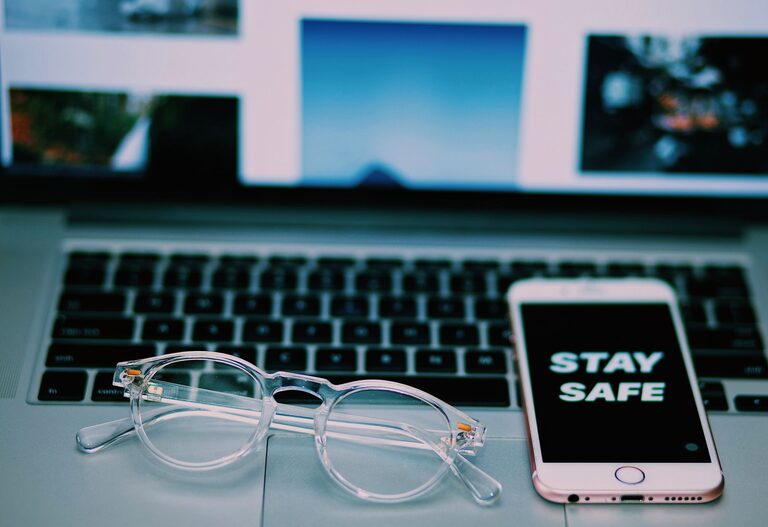
Keeping your phone and keyboard clean is essential for both hygiene and the proper functioning of your devices. These items are used daily and can accumulate dirt, oils, and germs over time. However, cleaning them improperly can cause damage or reduce their lifespan. This guide will walk you through safe and effective methods for cleaning your phone and keyboard, helping you maintain your devices in the best condition possible.
Why It’s Important to Clean Your Devices
Phones and keyboards are exposed to dust, food particles, sweat, and microbes. Regular cleaning helps:
– Prevent the buildup of grime and bacteria.
– Improve device performance by avoiding stuck keys or screen issues.
– Extend the lifespan of your gadgets.
– Create a healthier environment, especially during cold and flu seasons.
General Safety Tips Before You Start
Before you begin cleaning:
– Turn off and unplug your devices. This avoids accidental inputs or short circuits.
– Use gentle cleaning materials. Abrasive cloths or harsh chemicals can damage surfaces.
– Avoid excessive moisture. Liquids can seep into openings and damage internal components.
– Check manufacturer guidelines. Some devices have specific cleaning instructions or restrictions.
How to Clean Your Phone Safely
Phones have delicate screens and electronic components that require careful handling.
What You’ll Need
– A soft microfiber cloth (lint-free)
– Distilled water or a 70% isopropyl alcohol solution
– Cotton swabs
– A small spray bottle (optional)
– Compressed air (optional)
Step-by-Step Cleaning
- **Power down your phone.** Turn off your device and disconnect any cables or accessories.
- **Remove the case.** Clean the case separately following its material-specific guidelines.
- **Wipe the screen and body.** Lightly dampen the microfiber cloth with distilled water or the isopropyl alcohol solution (do not soak). Gently wipe the screen and back of the phone in a circular motion.
- **Clean buttons and crevices.** Use a slightly dampened cotton swab to clean around buttons, camera lenses, and ports.
- **Use compressed air carefully.** If you have compressed air, gently blow out any dust from ports or openings. Hold the can upright and avoid prolonged bursts.
- **Dry thoroughly.** Use a dry microfiber cloth to remove any moisture. Let your phone air dry for a few minutes before turning it back on.
Tips to Avoid Damage
– Do not spray liquid directly onto the phone.
– Avoid using bleach, window cleaners, or abrasive materials.
– Be cautious with screen protectors; clean gently to prevent damage.
How to Clean Your Keyboard Safely
Keyboards collect dust, crumbs, and germs, especially with frequent use.
What You’ll Need
– Soft microfiber cloth
– Isopropyl alcohol wipes or 70% isopropyl alcohol solution
– Cotton swabs or small brushes
– Compressed air canister
– Toothpick or thin plastic tool (optional)
Step-by-Step Cleaning
- **Unplug the keyboard.** Disconnect your keyboard from the computer or turn it off if wireless.
- **Shake out debris.** Hold the keyboard upside down and gently shake it to dislodge loose particles.
- **Use compressed air.** Blow out any remaining dust or crumbs from between the keys using short bursts at an angle.
- **Wipe the surface.** Use a microfiber cloth lightly dampened with isopropyl alcohol or cleaning wipes to clean the tops of keys and surrounding surfaces.
- **Clean between keys.** Use cotton swabs dipped in alcohol solution to clean tight spaces. A toothpick wrapped with a cloth can help remove stuck debris gently.
- **Deep cleaning (optional).** For mechanical keyboards or removable keycaps, carefully remove the keys following the manufacturer’s instructions and clean them separately with mild soap and water. Ensure keys are fully dry before reassembling.
Tips to Avoid Damage
– Avoid pouring liquids on the keyboard.
– Don’t use sharp metal tools that might scratch or damage keys.
– For wireless keyboards, remove batteries before cleaning.
Maintaining Clean Devices Daily
To reduce the need for deep cleaning, incorporate these habits:
– Wash your hands before using devices.
– Avoid eating or drinking near your phone and keyboard.
– Keep cases and covers clean.
– Wipe down surfaces weekly with a microfiber cloth.
– Use keyboard covers if possible to protect from spills and dust.
Summary
Cleaning your phone and keyboard regularly is a simple way to maintain hygiene and device longevity. Using gentle materials, avoiding excess moisture, and following device-specific guidelines will keep your gadgets looking and working great. With just a few minutes of care, you can protect your devices from buildup and ensure they stay safe and functional for years to come.